
Crevano · Templates · Book Covers · 6x9 Book Cover Templates
6x9 Book Cover Templates
6 × 9 inches is the default US trade paperback, and it is what most print-on-demand books ship at. 7 templates at that trim — front, back, a full wrap with the spine, and the interior pages that go inside — each with 0.125 inch of bleed at 300 DPI.
| Trim sizes | 12.4504 × 9 in · 6 × 9 in |
|---|---|
| Bleed | none · 0.125 in |
| Resolution target | 300 DPI |
| Templates | 7 |
| Pages | 8 |
No templates match that.
6x9 templates (7)
 Editorial Book Cover WrapPro
 Literary Novel Cover
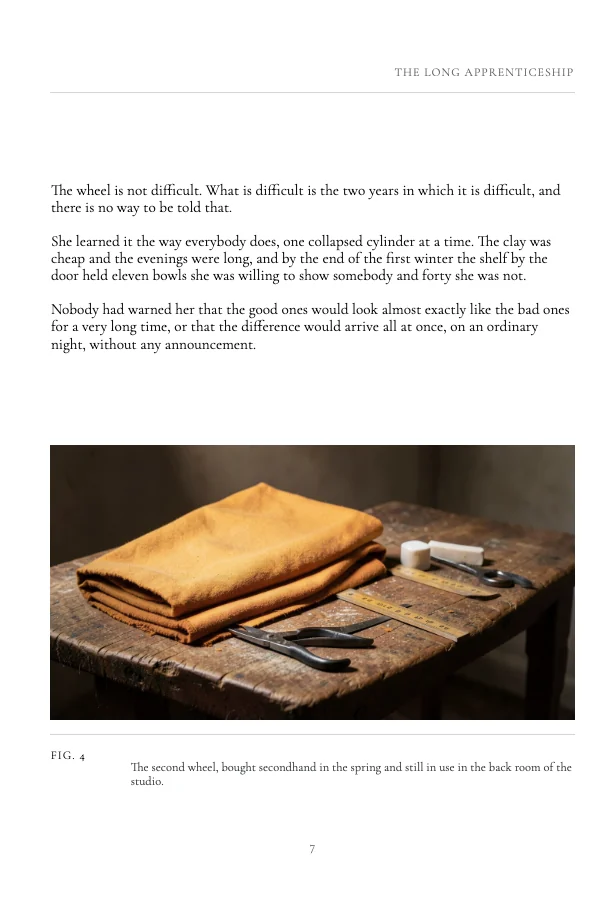 Classic Book Body PagePro
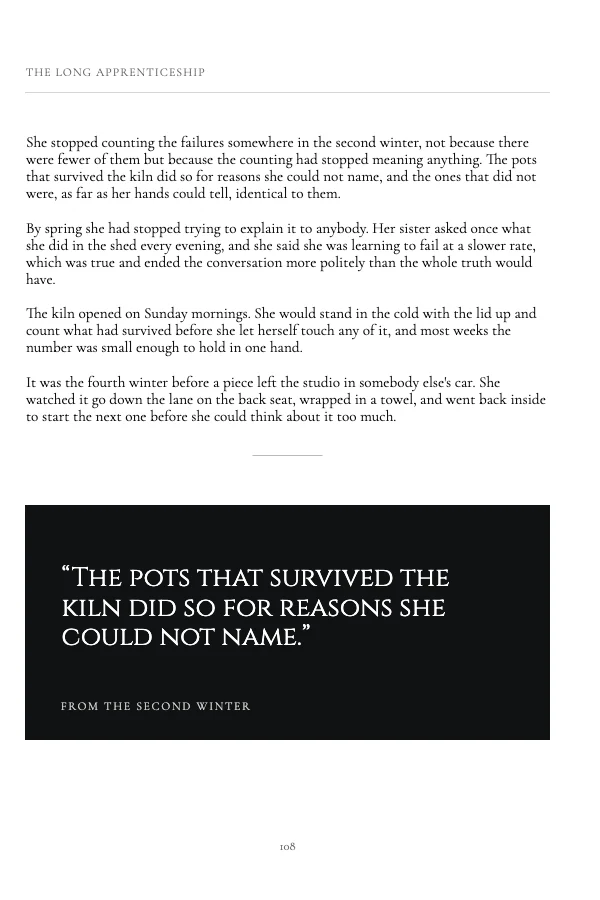 Classic Book Interior SpreadPro
 Traditional Book Title PagePro
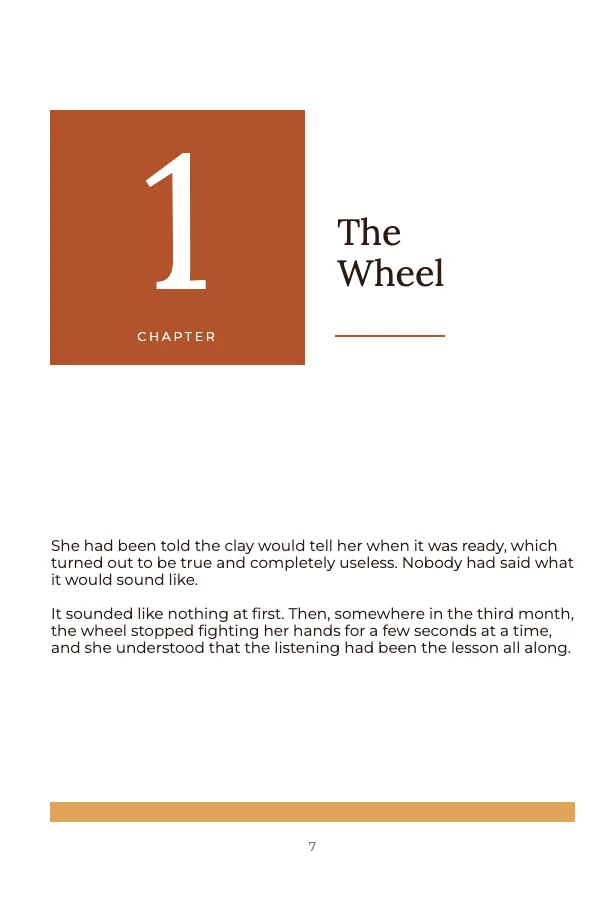 Warm Book Chapter OpenerPro
 Editorial Book Back Cover
The numbers for a 6 × 9, in one place
| Trim | 6 × 9 in |
|---|---|
| Cover with bleed | 6.125 × 9.125 in for a single panel |
| Full wrap width | (2 × 6) + spine + 0.25 in |
| Bleed | 0.125 in on every outside edge — not on the spine |
| Text safe area | 0.25 in inside the trim, all four sides |
| Barcode zone | 2.0 × 1.2 in, 0.25 in in from the trim, bottom right of the back panel |
| Interior margins | outside 0.25 in (0.375 with bleed); gutter 0.375 in to 150pp, rising to 0.875 in |
| Resolution | 300 DPI. A full-bleed cover photo needs 1,838 × 2,738 px |
The spine is the only number you have to calculate
Everything above is fixed. The spine is not — it depends on how many pages the book has and what paper it is printed on.
spine width = page count × caliperThere are four stocks and three different calipers, and cream is the thickest — which is the one that catches people out, because it is the default choice for a novel.
| Pages | White / standard color<br>0.002252 | Premium color<br>0.002347 | Cream<br>0.0025 |
|---|---|---|---|
| 100 | 0.2252 in | 0.2347 in | 0.2500 in |
| 150 | 0.3378 in | 0.3521 in | 0.3750 in |
| 200 | 0.4504 in | 0.4694 in | 0.5000 in |
| 300 | 0.6756 in | 0.7041 in | 0.7500 in |
| 400 | 0.9008 in | 0.9388 in | 1.0000 in |
Nothing is added on top. Several third-party spine calculators add 0.06 inch as a cover allowance — that is IngramSpark's formula, and KDP rejects against its own arithmetic.
Build the interior first. The page count has to be a real count, and it changes for reasons that feel unrelated to the cover — a font size, a margin, one added chapter. When it changes, the cover is silently wrong: the file still opens, still previews, and prints with the spine type running onto the front panel.
Crevano builds the 6 × 9 wrap for you. Give it the page count and the paper and it places both panels and the spine at the computed width, with spine guides that stay guides — they never export. It flags an odd page count, one under KDP's 24-page minimum or over its 828 maximum, and under 79 pages it tells you outright that KDP allows no spine text.
The wrap template in this set is built at 12.4504 × 9 in — 12 inches of covers, a 0.2004 inch spine and 0.25 inch of bleed across the two outer edges. That is one particular page count already worked out; the preset does the same arithmetic for yours.
Spine text needs about 105 pages, not 79
Print-on-demand services generally permit spine text from 79 pages. That permission is not the same as it being readable.
A 79-page black-and-white spine is 79 × 0.002252 = 0.1779 inch. Take off the 0.0625 inch of clear space required on each edge and there is 0.0529 inch of type height left — under 4 point. For readable 8 point type you need roughly 0.236 inch of spine, which is about 105 pages.
Below that, leave the spine blank. It reads as deliberate. A title squeezed into 4 point, or a title cut off by the fold, does not — and nobody buying the book online sees the spine anyway, so it is never a reason to pad a manuscript.
Interiors: the gutter is bigger than the outside margin
The 6 × 9 interior templates use asymmetric margins on purpose. The inside edge — the gutter — has to be wider, because perfect binding curls the paper into the spine and swallows part of it. The thicker the book, the more it takes.
The gutter is a ladder set by page count, not a judgement call: 0.375 inch to 150 pages, 0.5 to 300, 0.625 to 500, 0.75 to 700, 0.875 beyond. The outside margin is 0.25 inch, or 0.375 if the interior has bleed. Crevano applies these floors and announces any it raises, rather than correcting quietly. The margin swaps sides on facing pages, which is why the interior-spread template shows a pair rather than a single page — a spread is what a reader sees.
Text interiors do not need bleed unless an image runs off the edge. Most do not.
Questions
What is the actual file size for a 6x9 cover?
6.125 × 9.125 inches for a single panel with bleed — 1,838 × 2,738 pixels at 300 DPI. A full wrap is (2 × 6) + spine + 0.25 inches wide by 9.25 inches tall.
How do I work out the spine for a 6x9 book?
Page count times caliper, with nothing added. White and standard color are 0.002252 inch per page, premium color 0.002347, and cream 0.0025 — a 250-page book is 0.563 inch on white and 0.625 on cream. Crevano computes it for you on a 6 × 9 wrap. Count the pages from the finished interior, not from an estimate, and ignore calculators that add 0.06 inch.
Why is 6x9 the standard book size?
It is the US trade paperback trim: large enough for a comfortable line length, small enough to be cheap to print and to ship, and the size print-on-demand services default to. Most fiction and general nonfiction is 6 × 9 for those reasons rather than for any design one.
Can I put text on a 6x9 spine?
Only if the book is thick enough. Below about 105 pages there is not enough spine height for readable 8 point type once the required clearance is taken off. Under that, leave it blank.
What margins does a 6x9 interior need?
0.25 inch outside, or 0.375 with bleed. The gutter goes by page count: 0.375 inch to 150 pages, 0.5 to 300, 0.625 to 500, 0.75 to 700, 0.875 beyond. The wide side swaps between left- and right-hand pages.
Where does the barcode go on a 6x9 back cover?
Bottom right, in a 2.0 × 1.2 inch area set 0.25 inch in from the trim. Leave it empty and keep the area behind it flat and light — the barcode prints over whatever is there.
Where to go next
Put together an occasion
Every category
How printing works
Open any of these and it is already the right size. Bleed, margins and trim are set, and there is no watermark on anything you export — on any plan, ever.