
Crevano · Templates · Labels & Stickers · Black and White 4 × 2 in Address Label Sheet
Black and White 4 × 2 in Address Label Sheet
Ten 4 × 2 in labels compatible with Avery® 5163 — 0.5 in top and bottom, 5/32 in sides, 3/16 in between the columns and no gutter between rows, which is the only arithmetic that closes on a Letter sheet exactly. The cut lines are drawn as light guides so you can see the grid while you type; delete them before printing, because the labels are already die-cut. Avery® and the Avery product codes are trademarks of Avery Products Corporation; this template is not made by, affiliated with or endorsed by Avery, and the product code names the stock it is built to fit.
No templates match that.
| Trim size | 8.5 × 11 in |
|---|---|
| Bleed | none |
| Resolution target | 300 DPI |
| Pages | 1 |
| Elements | 50 |
| Editable text elements | 30 |
| Photographs | 0 |
The page in this template
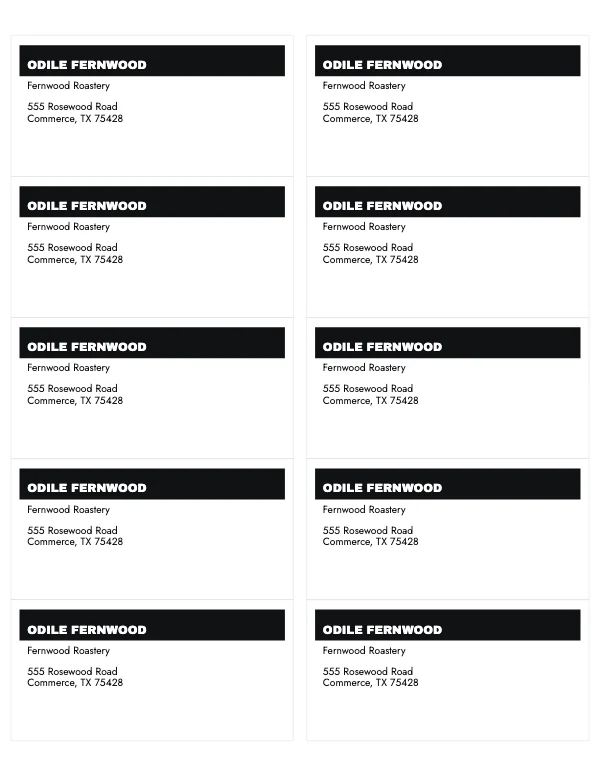
What you get when you open it
The template opens in the studio as a 1-page document at 8.5 × 11 in, with the trim, the margins and the 300 DPI target already set. 50 elements are on it and every one is separate: 30 of them are live text you retype rather than artwork you work around.
The safe margin is 0.25 in top, 0.25 in bottom, 0.25 in left, 0.25 in right. Nothing you want to keep should cross it.
Where to go next
Its category
How printing works
Open any of these and it is already the right size. Bleed, margins and trim are set, and there is no watermark on anything you export — on any plan, ever.